Correcting an SSN error on your NCOER
An SSN error on a Noncommissioned Officer Evaluation Report (NCOER) is usually an identity-data issue rather than a performance issue. It may appear in the soldier data block on DA Form 2166 or on a document generated from an older personnel record. Because the NCOER is retained as an official Army evaluation, never overwrite or recreate it yourself; request an authorised correction instead.
Australian personnel and family members may find the process unfamiliar when a U.S. unit manages the record while they live in Sydney, Melbourne or Brisbane. Confirm whether the member is active duty, Army National Guard or Reserve, since each may use a different channel. Start with the unit’s S1/evaluations office or Military Personnel section and ask which workflow applies.
Compare the SSN on the NCOER with authoritative information in the Integrated Personnel and Pay System (IPPS), the official military identification record and other service documents. If IPPS is correct but the NCOER is wrong, the evaluation file needs correction. If IPPS is wrong, fix that source record first, or a corrected report may reproduce the error.
Keep the report number, member’s name, rank or pay grade, covered period and a precise description of the mismatch. Preserve an unedited copy and track every submission. An SSN correction should not alter ratings, comments or endorsements, so keep the identity problem separate from any disagreement about the evaluation itself.
Establish which record is inaccurate
Ask the records custodian to identify the exact NCOER version held in the Official Evaluation File (OEF), including any correction already filed. When a report is accessioned, the originating evaluation office must use its prescribed amendment process; privately replacing a downloaded copy creates no official change.
A DD 214 can help establish service history, but it is a separate record and cannot change an evaluation. The site’s DD 214 guidance explains why a DD 214 request follows a different path. Include it only if an identity detail also appears there; do not treat the two documents as interchangeable.
Distinguish a simple digit transposition from a change of identity, such as a different legal name or a number assigned after record conversion. The second situation may require evidence from the member’s official personnel file and legal documentation. It should not be handled as a quick typographical fix, even if only one digit appears wrong.
Assemble the evidence and request
Prepare a one-page request identifying the NCOER, the incorrect field and the correct value. State that you seek a formal correction to the retained military personnel record, not a replacement PDF. Include the member’s status and preferred contact method. If an authorised representative is writing, explain the basis for that authority and ensure the member confirms the request.
Supporting evidence commonly includes an IPPS record, military identification details, enlistment or personnel documents and the original NCOER. Ask the receiving office which copies it requires. Do not send original records unless secure return arrangements have been agreed, and redact any full SSN from documents that do not require it.
Address history can help reconcile an old civilian record with a current Australian address. If a place name appears misspelled, a general location reference can help check its usual form before including it. It is not identity evidence and should never replace an official personnel document.
Route the request through the right office
Begin with the unit’s S1, evaluations office or Military Personnel section, and ask for the current NCOER correction form and approved submission method. Depending on the case, this may involve the unit evaluation section, a Military Personnel processing office or the records custodian responsible for the member’s OEF. Supplying the request through the correct office prevents it being mistaken for an informal appeal.
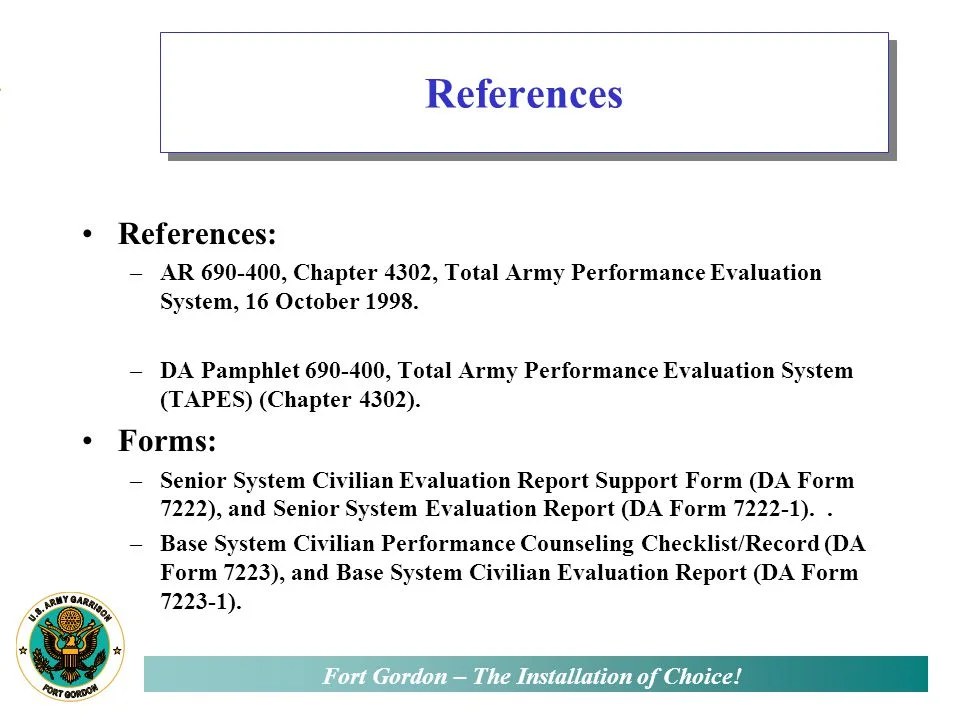
The officer report support form is intended for an Officer Evaluation Report, not an NCOER, even though both are evaluation documents. Using the wrong form can create delay or an incomplete amendment. Ask specifically for an NCOER correction instrument if the NCOER is the document requiring repair.
If IPPS contains the wrong SSN, request a source-record correction before proceeding. Once that record is updated, ask the evaluation office to re-check the NCOER and provide written confirmation that both records agree. A disagreement about ratings, comments or endorsement belongs in the separate evaluation appeal process rather than the SSN correction request.
Protect the SSN and document progress
Use only the approved Army portal, encrypted transfer route or sealed postal channel. Keep the full SSN out of email subjects, ordinary chat and voicemail. Any outside commentary, including CDACIAN resources, is secondary; only the unit’s evaluation office can authorise or execute a records change.
For Australian organisations or advisers involved in the request, the Privacy Act 1988 and Australian Privacy Principles can apply, with the Office of the Australian Information Commissioner as regulator. They do not replace U.S. Army rules, but they support minimising collection, controlling access and securely disposing of unnecessary copies.
Many Australians scan and exchange documents by phone, while Australia Post and commercial couriers can move physical evidence. Neither habit makes a full SSN on an envelope acceptable. Confirm the unit’s secure-upload option first; if posting is required, follow its addressing and tracking instructions and avoid placing sensitive identity data on the outer packaging.
Prepare a complete submission
The wider Army evaluation guides can orient you to evaluation terminology, but verify every step against current unit instructions and prescribed forms. A complete request should include:
- Compare the NCOER with IPPS and establish which SSN is correct.
- Identify the responsible S1, evaluation or Military Personnel contact.
- State the report number, covered period and exact field in error.
- Provide redacted supporting copies through an approved secure channel.
- Request written confirmation and a copy of the corrected NCOER.
- Retain the original submission, receipt and revised documentation securely.
Ask for a case reference and expected response time. If a promotion board, retirement, separation or employment deadline is close, state the date in the request and ask whether expedited handling is available. Keep the original report, submission receipt, written outcome and any corrected NCOER together so the same identity information does not need to be requested again.